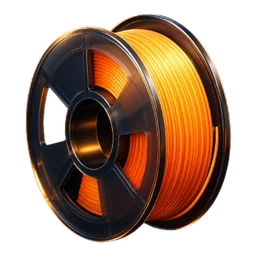
Every spool on its own
Two rolls of orange PLA are two entries, each with its own weight, location and note. Filotheke books from the opened roll with the least left first.
 Filotheke
Community project
Filotheke is the filament manager for 3D printing that keeps everything on your phone: stock, usage and costs. No account, no cloud.
Tap a spool and book a print. Everything can be taken back.
Features
From the spool on the shelf to the finished print: Filotheke records what you have, what you use and what it costs.
Two rolls of orange PLA are two entries, each with its own weight, location and note. Filotheke books from the opened roll with the least left first.
Put the spool on a Bluetooth scale. Filotheke subtracts the weight of the empty spool and books the difference. Wrong value? Every booking can be undone.
Arboleaf CK10G and CK10A
Record every print: title, filament, grams, print time, photo and rating. Filotheke adds up material, power and wear costs. Repeating a print? One tap pre-fills the booking.
Bambu Lab printers on your own network show status and AMS slots, with no Bambu cloud involved. With Home Assistant, Filotheke books prints automatically once your weight sensor reports a value. Before a print, the fill check tells you whether the spool is enough.
Print labels with a QR code, one by one or as an A4 sheet. Write NFC tags and open a spool by holding your phone to it. A scanned barcode fills in brand and material from a catalogue that ships inside the app. Or photograph the label: the text is recognised on your device.
Load the file from your slicer (3MF or G-code). Filotheke shows the amount and cost, and tells you whether the chosen spool is enough, what is missing and when you will need to swap.
Drying intervals per material, overdue spools at a glance. Plus a maintenance log for every printer, with intervals in hours, days or prints.
Usage per month, most-used filaments and how long your stock lasts. What runs low goes onto the shopping list, and a home-screen widget shows what is nearly empty.
Looking for a specific colour? Pick it, and Filotheke shows the spools in your stock that come closest. Colours are compared with CIEDE2000, a measure modelled on the human eye.
Features
Dark, calm, with glass surfaces: the interface is made for the workshop, with big numbers and clear colours.
Shown with sample data.
Scan the barcode or photograph the label, enter count and weight. For opened rolls you give what is left.
By hand, with the scale, or automatically through Home Assistant. Every booking shows up in the history and can be taken back.
When a spool runs low, the app tells you. The shopping list remembers what is missing.
Privacy
Filotheke needs no account and no cloud. Everything lives in a database on your device.
Printer access codes and tokens sit in Android's keystore, never in the database and never in backups.
ZIP backups, optionally encrypted with a password (Argon2id and AES-256-GCM). The last five are kept.
With fingerprint or face. While the lock is active, Android prevents screenshots of the app.
Two devices sync directly over Wi-Fi, after a one-time pairing by QR code, and encrypted.
Home Assistant and Spoolman are only contacted if you set them up yourself.
When saving, Filotheke strips the EXIF data from your photos.
Connections
Filotheke works fine without any connection. If you want to connect a printer, you have options.
Filotheke is an independent project and is not affiliated with Bambu Lab, Home Assistant or Spoolman. All trademarks belong to their owners.
Community project
Filotheke is meant as a community project. It grows with the people who use up filament every week. Ideas, bug reports and new scales are welcome.
Tell us what is missing or feels wrong. What gets built next should come from everyday printing.
Scale not recognised? The app packs an anonymous archive, without addresses or device names, and you decide where it goes. No account, no server.
The weight of an empty spool, with maker and type, can be shared the same way, so nobody has to weigh it again.
No. Filotheke runs without sign-in and without a server. Your data stays on the device.
No, Filotheke is free. There are no ads and no subscription. If the app helps you, you can buy me a coffee if you like, but you never have to.
Yes. Stock, history, labels and statistics all work offline. You only need a network for Home Assistant, Spoolman or a printer on your Wi-Fi.
Filotheke is built for Android. There is no iOS version at the moment.
Bambu Lab printers in LAN mode and any printer that Home Assistant knows with a status and a weight sensor. Without a connection you manage stock by hand, which works with any printer.
No, it is optional. Currently Filotheke recognises the Bluetooth scales Arboleaf CK10G and CK10A. Without a scale you enter the weight by hand.
Yes. Filotheke reads CSV and JSON files and shows a preview before anything is saved.
With a ZIP backup in the settings, with a password if you like. You can also sync two devices directly over Wi-Fi.
There is no date yet. Once the app is available, the download will appear on this page.
Version 1.1.0 is in the works. As soon as the app is available, you will find the download here.